
How to Download RC Book Online in India (2026) — Complete Guide
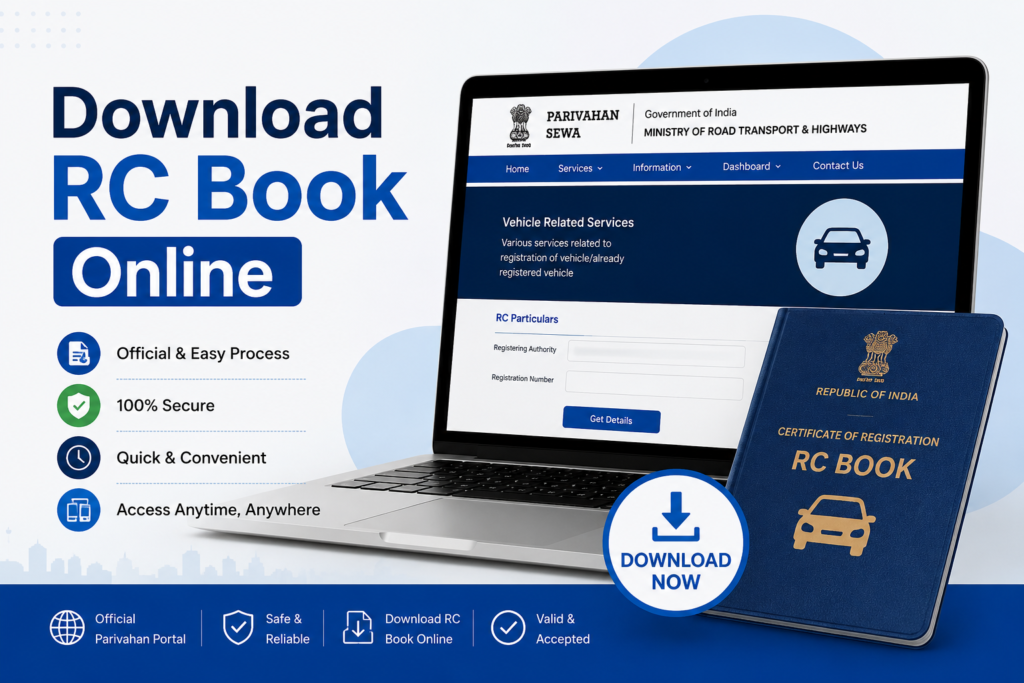
You can Download RC Book Online for free through the Parivahan portal, DigiLocker, or the mParivahan app. To access your digital Registration Certificate (RC), you will need your vehicle registration number, chassis number, and the mobile number linked to your vehicle records. The digital RC is legally valid across all Indian states under the Motor Vehicles Act, 1988.
Here’s the good news. You do not need to carry a physical RC book anymore. The Government of India, under its Digital India mission, now lets every vehicle owner download their RC book online—instantly, for free, from any smartphone or computer.
This guide explains how to Download RC Book Online in 2026 using all the official methods. You’ll also learn about the legal validity of the digital RC, what to do if your RC is lost or damaged, and how to fix common download errors. Everything is explained in simple, easy-to-follow language.
What is an RC Book? Full Form, Contents & Evolution
RC stands for Registration Certificate. It is an official document issued by the Regional Transport Office (RTO) under the Motor Vehicles Act, 1988. The RC confirms that your car, bike, or any other vehicle is legally registered in India. After registration, you can also Download RC Book Online from official government platforms whenever you need a digital copy.
A valid RC is one of the most important vehicle documents. Without it, your vehicle has no legal identity on Indian roads. You may also face problems while buying insurance, transferring vehicle ownership, filing a vehicle theft FIR, or getting a No Objection Certificate (NOC) for moving your vehicle to another state.
What Information Does Your RC Contain?
- Owner’s full name
- Vehicle registration number
- Date of registration
- Chassis number (VIN)
- Engine number
- Make, model & variant
- Fuel type
- Vehicle category (2W/4W)
- Seating capacity
- Body type
- RC validity date
- Hypothecation details (loan)
- Insurance details
- Issuing RTO name
Old RC Book → Smart Card → Virtual Digital RC
Old RC Book (Paper)
A physical booklet issued by RTO. Bulky, easy to lose, prone to damage. Still valid for older vehicles in some states.
Smart Card RC
A compact plastic card issued since the 2000s. The current standard physical format. Has a chip with embedded vehicle data.
Virtual / Digital RC
The modern format stored on your phone via DigiLocker or mParivahan. Legally equivalent to physical RC.
RC color coding for commercial vehicles: Yellow number plates with black text indicate commercial vehicles (taxis, goods carriers). Their RC includes additional details like permit type, fitness certificate validity, and route authorization. Always verify these during a second-hand vehicle purchase.
Is Digital RC Legally Valid in India?
Yes — 100%. The Ministry of Road Transport and Highways (MoRTH) officially recognizes digital RCs stored in DigiLocker and mParivahan as legally valid documents under two laws:
Motor Vehicles Act, 1988
Makes carrying a valid RC mandatory for all vehicles on Indian roads. Digital RC satisfies this requirement.
IT Act, 2000
Grants legal validity to digitally signed electronic documents, including your RC downloaded from government platforms.
MoRTH’s official advisory states that RC and Driving Licence shown via DigiLocker or mParivahan are legally recognised electronic records — accepted by traffic police, insurance companies, banks, and courts across all 28 states and Union Territories.
QR Code Verification: Your digital RC comes with a unique QR code. Traffic authorities can scan this instantly to verify your vehicle details against the VAHAN database in real time. No forgery possible — data is pulled live from the government server.
What You Need Before You Start
Before you open any portal or app, keep these three things handy:
- Vehicle Registration Number — the number plate (e.g., MH02AB1234)
- Chassis Number (last 5 digits) — found on the vehicle frame or old RC
- Registered Mobile Number — the number linked to your RTO records (needed for OTP)
- Aadhaar Number — needed only for DigiLocker login
- Stable internet connection — mobile data or Wi-Fi
Parivahan RC Download
- Open your browser and go to parivahan.gov.in
- On the homepage, click “Online Services” in the top navigation bar
- From the dropdown, select “Vehicle Related Services”
- Choose your state of registration from the list (e.g., Maharashtra, Delhi, Karnataka)
- You will be redirected to your state’s RTO portal. Log in or register with your mobile number
- Enter your vehicle registration number and select your RTO office from the dropdown
- Click on “Download Document”, then select “RC Print”
- Enter your chassis number and other details when prompted
- Enter the OTP sent to your registered mobile number
- Your RC downloads as a PDF file — save it on your phone or print it
State-specific note: The “Download Document” button may not appear in every state. Portal availability depends on your state’s configuration. If you do not see it, use DigiLocker or mParivahan instead — both methods below work across all states.
Download RC via DigiLocker
DigiLocker is India’s official digital document storage system. RCs stored here are digitally signed, pulled directly from the VAHAN database, and treated as original documents by all government authorities. Best option for storing your RC long-term with offline access once saved.
- Download the DigiLocker app from Google Play Store or Apple App Store, or visit digilocker.gov.in
- Sign up or log in using your mobile number. Verify with OTP
- Link your Aadhaar number for quick government document access (recommended)
- Tap “Search Documents” or go to “Issued Documents” → “Get More Issued Documents”
- Select “Ministry of Road Transport and Highways” from the list of document issuers
- Choose “Vehicle RC” from the document types listed
- Enter your vehicle registration number and chassis number
- Tap “Get Document”. Your RC appears in the “Issued Documents” section
- Tap the RC to view it, then hit “Download” to save the PDF — or simply open the app at traffic checks to show it
Aadhaar not linked? You can still log into DigiLocker with just your mobile number. However, linking Aadhaar enables faster document fetching and additional government document access. To link, go to Profile → Link Aadhaar inside the app.
Download RC via mParivahan App
mParivahan puts your virtual RC directly on your phone’s dashboard. Traffic police accept this app’s RC display at checkpoints because it connects to the live VAHAN database. The built-in QR code feature lets officers scan and verify your vehicle details in seconds.
- Download mParivahan by searching for it on Google Play Store (Android) or Apple App Store (iOS). The developer name is “NIC eGov Mobile Apps” — verify this to avoid fake apps
- Open the app and tap “Register”. Enter your mobile number, email, name (as per RC), state of registration, and create a 6-digit MPIN
- Once logged in, tap your name (top right) → select “My RC”
- Tap “Create Virtual RC”
- Enter your vehicle registration number in the search bar and tap “Search”
- Enter chassis number and engine number for verification
- Verify via OTP on your registered mobile number
- Tap “Add to Dashboard for Virtual RC”
- Your Virtual RC now appears on the dashboard — complete with a QR code that traffic police can scan for instant verification
QR Code at Checkpoints: Open mParivahan → tap your Virtual RC → show the QR code to the officer. They scan it and verify your details live against VAHAN. No paper, no waiting. Works even with low signal on the app.
Download RC via VAHAN Portal
VAHAN is the master database behind all vehicle services in India. It also doubles as a portal where you can check vehicle details and, in supported states, download your RC. It is particularly useful to verify insurance, challan dues, and RC status before downloading.
- Open vahan.parivahan.gov.in on your browser
- Click on “Know Your Vehicle Details”
- Enter your vehicle registration number in the field
- Complete the captcha verification
- Click “Search” — your vehicle’s RC details display on screen
- If the download option appears for your state, click “Download PDF” to save your RC
Platform Comparison — Which One Should You Use?
| Feature | Parivahan | DigiLocker | mParivahan | VAHAN |
|---|---|---|---|---|
| PDF Download | ✓ (state-dependent) | ✓ Always | ✓ Virtual RC | ✓ (state-dependent) |
| Works Offline | ✗ | ✓ Once saved | ✓ Dashboard | ✗ |
| OTP Required | ✓ | ✓ Login only | ✓ | Captcha only |
| Works All States | Mostly | ✓ All states | ✓ All states | ✓ All states |
| QR Code for Traffic Police | ✗ | ✗ | ✓ | ✗ |
| Best For | Detailed download | Long-term storage | Daily carry / checkpoints | Quick RC check |
| Cost | Free | Free | Free | Free |
Our Recommendation
- For daily use at traffic checkpoints: Use mParivahan — the QR code is fastest to show
- For a proper downloadable PDF: Use DigiLocker — works in all states, offline access once saved
- For checking RC status first: Use VAHAN — see all details before downloading
- Best combination: Save RC in DigiLocker + add to mParivahan dashboard — you have both a PDF and a quick-show QR code
How to Download RC Book Online for Bike
If you own a bike, scooter, or any two-wheeler, the RC download process works the same way as for cars. However, keep these bike-specific tips in mind:
- Your bike’s chassis number is usually stamped on the frame near the engine — check the area between the footpegs on most models
- On Parivahan, when selecting vehicle type, choose “Two Wheeler” from the dropdown if prompted
- The chassis number field usually requires only the last 5 characters — enter them in uppercase
- For bikes under loan (hypothecation), the RC shows the financier’s name alongside yours — this is normal and the digital RC remains valid
- If you recently bought a second-hand bike, make sure the RC transfer is complete in your name before downloading — a mismatch causes verification failure
Follow any of the four methods above (Parivahan, DigiLocker, mParivahan, or VAHAN) — they all support both car RC download and bike RC download without any difference in steps.
How to Apply for Duplicate RC Book Online
Lost your RC? Do not panic. The government lets you apply for a duplicate RC book online through Parivahan. Here is exactly what to do, step by step.
When Do You Need a Duplicate RC?
- RC Book is Lost
Physical smart card or booklet missing — apply for duplicate immediately - RC is Damaged
Water-damaged, torn, faded, or details unreadable — replace it - RC is Stolen
File FIR first, then apply for duplicate online - Address/Name Change
After updating personal details, a new RC is issued via the same process
Documents Required for Duplicate RC
- Filled and signed Form 26 (download from Parivahan)
- FIR copy from nearest police station (if RC is lost or stolen)
- Affidavit on stamp paper from a notary — states RC is lost/not intentionally destroyed
- Valid vehicle insurance certificate
- Valid PUC (Pollution Under Control) certificate
- Aadhaar card — identity & address proof
- PAN card or Form 60/61
- Challan clearance proof — no pending traffic fines
- NOC from bank — if vehicle is purchased on loan (hypothecation)
- Original RC book — if applying because of damage
Duplicate RC Application — Online Steps
- File an FIR at your nearest police station. Request a copy — you will need it for the application
- Get an affidavit from a registered notary on stamp paper confirming your RC is lost
- Visit parivahan.gov.in → Online Services → Vehicle Related Services → select your state
- Select “Apply for Duplicate RC” from the services list
- Fill out Form 26 online with your vehicle details. Upload all required documents (keep files under 200KB each)
- Pay the fee online via UPI, debit/credit card, or net banking. Fee varies by vehicle type and state
- Download the payment receipt and application reference number — save both
- Track status at Parivahan → Know Your Application Status — takes 7 to 21 working days
- Once approved, digital RC becomes available first on DigiLocker/mParivahan. Physical smart card arrives at your registered address via post
Pro tip: While waiting for your duplicate RC, use your digital RC from DigiLocker or mParivahan as temporary proof. It is legally valid during this period and will get you through traffic checkpoints and insurance queries without any issue.
Penalties for Driving Without RC in India
The Motor Vehicles Act, 1988 makes carrying a valid RC mandatory for every vehicle on Indian roads. Driving without one — even forgetting to carry it — can cost you seriously.
| First offence — driving without RC (Section 192) | ₹5,000 |
| Repeat offence — driving without RC | ₹10,000 |
| Repeated violations — imprisonment | Up to 1 year |
| Expired RC — delayed renewal fine | Up to ₹5,000 |
| Driving with expired RC — vehicle seizure | Vehicle impounded |
| Using a fake/tampered RC (IPC 420, 468, 471) | Criminal offence + blacklisting |
State-specific penalties: Punjab traffic police charge ₹3,000 for the first RC offence and ₹5,000 for the second. Four-wheeler second offence in Punjab: ₹10,000. Always carry your digital RC — it takes 30 seconds to set up and saves you thousands.
Troubleshooting — Common RC Download Problems & Fixes
Facing an error? Here are the most common RC download issues and exactly how to fix them:
Vehicle Details Not Found
Reasons: (1) Vehicle was registered before full digitization and data is not yet in VAHAN. (2) You entered the registration number in the wrong format — use the format printed on your number plate, e.g., MH02AB1234. (3) You chose the wrong state. Fix: Visit your local RTO and request your vehicle record be updated in VAHAN.
OTP Not Received
Your registered mobile number may not match what the RTO has on record. Wait 2–3 minutes and retry. If still not received, visit your RTO to update your mobile number — takes about 15 minutes. After updating, the OTP will work immediately.
Download Button Not Visible on Parivahan
This is a state configuration issue — not all states have enabled the PDF download button on Parivahan. Switch to DigiLocker or mParivahan instead — both work across all states without this limitation.
Aadhaar Mismatch on DigiLocker
Your name on DigiLocker does not exactly match the name on your RTO records. Even a small difference (middle name, spelling variation) causes this. Contact your RTO to update the name in VAHAN, or use mParivahan which does not require Aadhaar.
New Vehicle Not Showing
Just bought a new vehicle? It takes 3–7 working days for the dealer to complete RTO registration and sync the data to VAHAN. Wait a week and try again. Your temporary RC (TR number) is valid for 30 days in the meantime.