
Driving Licence Check Online – Check DL Status, Search DL Online 2026
Checking your Driving Licence Check status in India is now quick and convenient through the official online services provided by the Ministry of Road Transport and Highways. With the Driving Licence Check facility, you can access your DL details anytime, 24/7, from the comfort of your home without visiting the RTO office. The online process is simple, secure, and helps you complete a Driving Licence Check to track your licence status in just a few minutes.
If you have recently applied for a Driving Licence (DL), lost your DL number, or want to verify your licence details, you can easily complete a Driving Licence Check through the official Parivahan portal. This online service allows you to check your driving licence status, recover a lost DL number, and access important licence information within minutes. Whether you need a Driving Licence Check to confirm your application status or verify your licence details, the process is quick, secure, and easy to follow. In this guide, you’ll learn the step-by-step process to perform a Driving Licence Check and view your driving licence details using different online methods.
Checking Driving Licence Status Online
Through the parivahan Sewa portal, check your driving licence (DL) status online and track your application. Follow these steps:
- Go to Parivahan sewa portal official Ministry of Road Transport and Highways website.
- Open the Online Services menu and click on Driving Licence Related Services to continue.
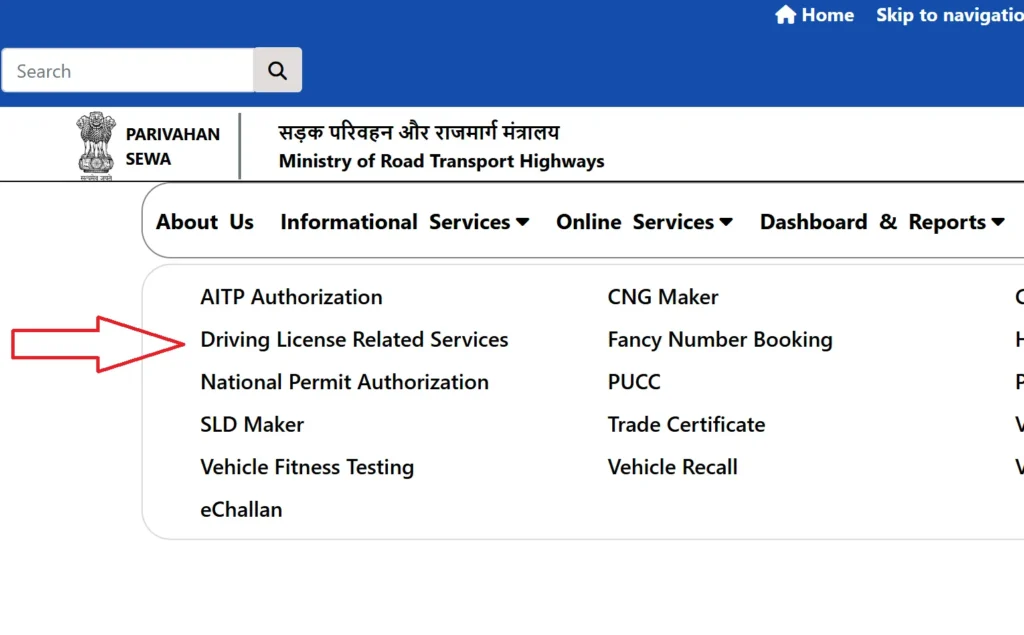
- Select the state where you apply for your driving licence.
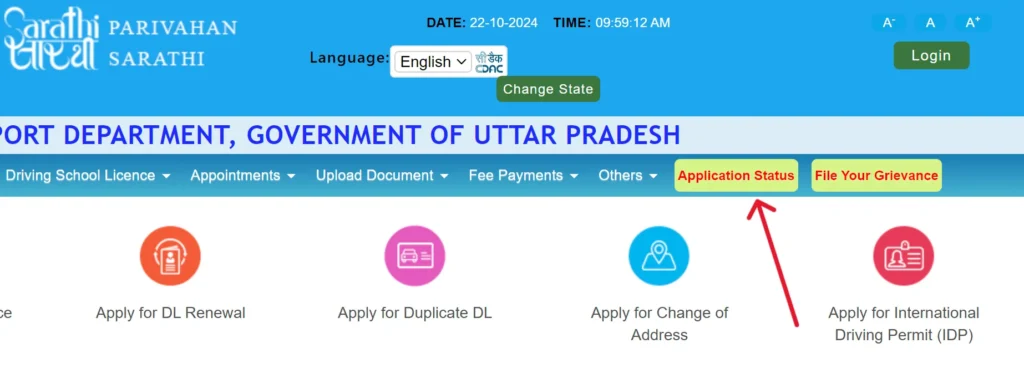
- A new page will open with driving licence online services. Click on Application Status.
- Add required information, enter the following information:
- Application Number: The unique number you received when you submitted your DL application.
- Date of Birth: Enter your date of birth.
- Captcha Code: Enter the captcha code to confirm you are not a robot.
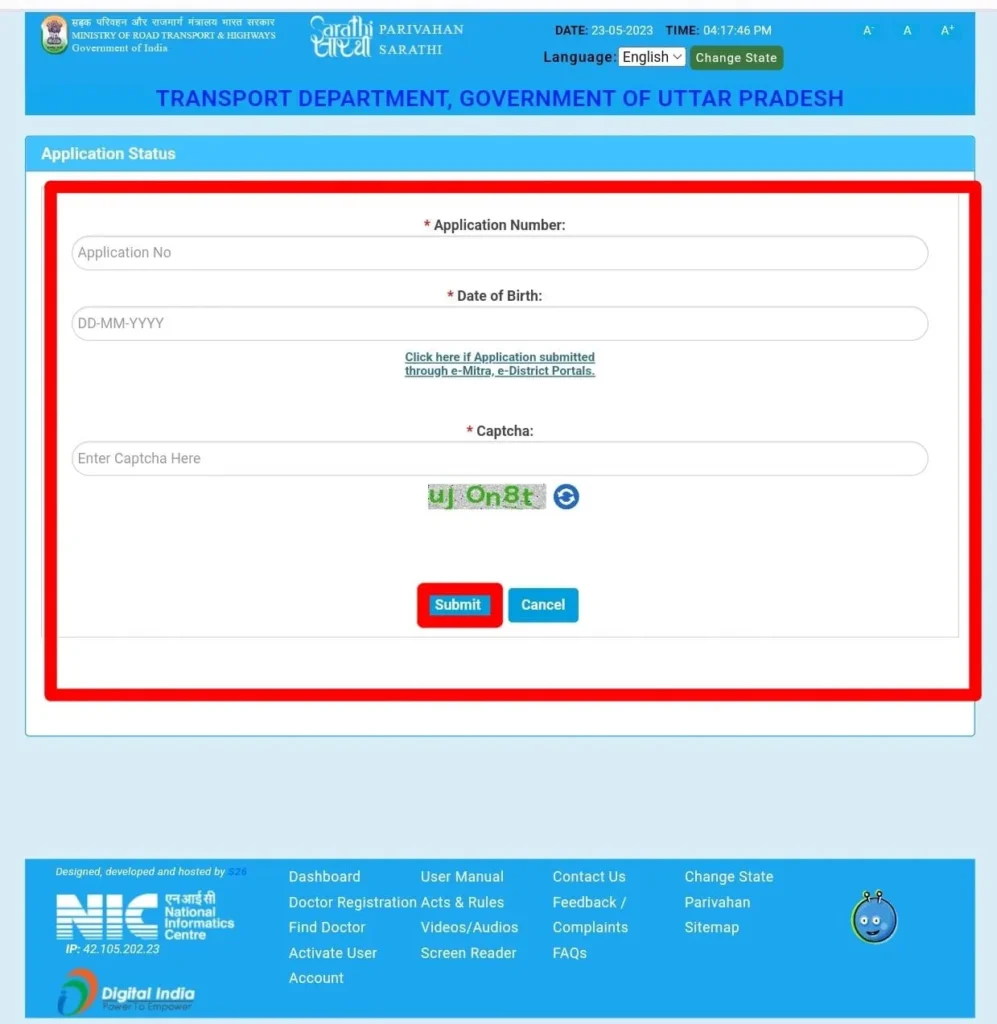
- Enter all the details, click on Submit button. Your application status is show on screen.
Checking Driving Licence Status Online
If you’ve forgotten or lost your driving licence application number, you can easily retrieve it using your name and date of birth through the Parivahan Portal. This online service allows you to quickly access your application details without any hassle.
- Visit to Parivahan website https://parivahan.gov.in/ and click on “Driving Licence Related Services“.
- Select the state of driving licence.
- Click on “Others“, then select “Find Application Number“.
- A new page will open add information:
- Applicant Name: Enter your name exactly as it appears on your government ID.
- Date of Birth: Enter your date of birth in the required format.
- Mobile Number: Enter the mobile number linked to your DL application.
- State and RTO Details: Select the state and RTO where you applied.
- Captcha Code: Enter the captcha code for verification.
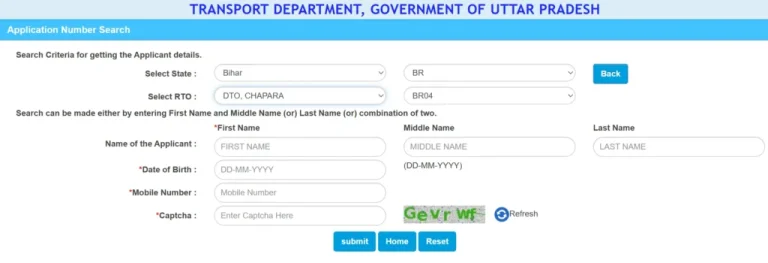
- Click on Submit button. Your application number and related driving licence will shown.
Searching Driving Licence by DL Number
Through Parivahan portal check your driving licence information using your DL number without visiting RTO.
- Open the Parivahan website click on Driving Licence Services.
- In the “Licence Menu” click on “Search Related Application”.
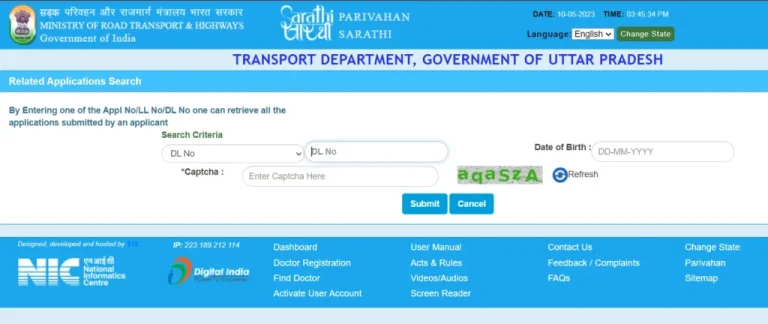
- Enter the following details on the search page:
- Your Driving Licence Number
- Your Date of Birth
- The Captcha Code shown on the screen
- Your driving licence details will shown. This may include licence status, validity period, issue date, and vehicle class allowed.
Searching Driving Licence by Name and Address
If your driving licence is lost but you still know your personal details, you can use the Advanced Search feature on the Parivahan Portal to easily locate your licence information.
- Visit the Parivahan website and click on Driving Licence Related Services, then choose your state.
- In menu, click on Others and then DL Search.
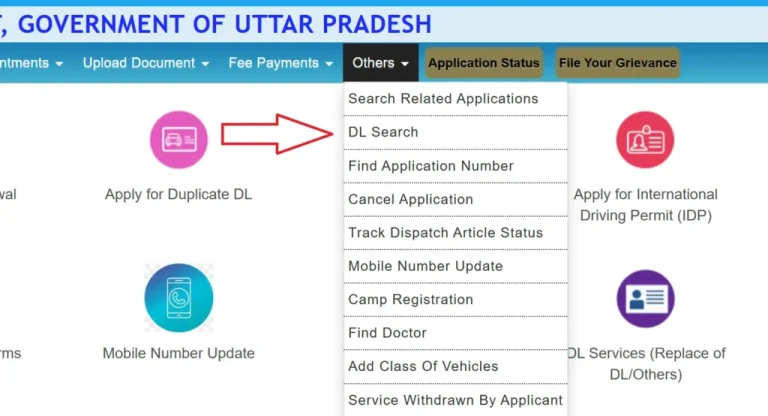
- Choose the Advanced Search option. Add your details like:
- Address
- Blood Group
- Gender
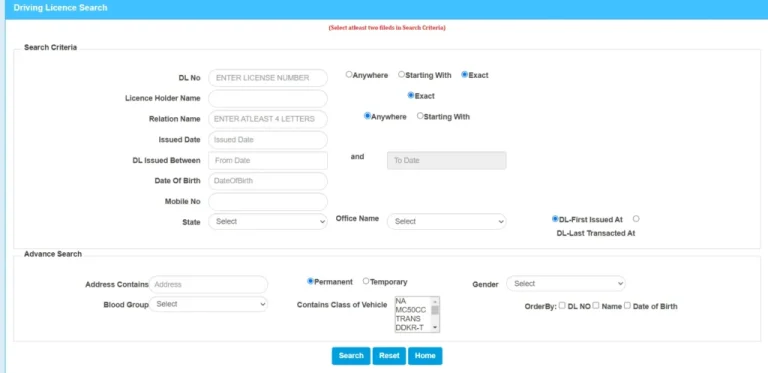
Verify the captcha code, click on “Search”. Your driving licence details show on screen.
Use Offline Method
- Go to Regional Transport Office (RTO).
- Get all document and proof of your driving licence application, your Aadhaar card, PAN card, or passport.
- RTO officer can check your driving licence number and other details.
- If you use RTO, your information is available in records.